

-
 My Stable
 -
 Showing
 -
 Advanced Facilities
 -
 Community
 -
 Upgrade
 -
 Resources
X
No store required
Add to your home screen
Get a sleek, app-like experience without visiting your browser every time.
Instant access
Launch straight from your home screen — no browser needed
Full screen gameplay
Runs minimal browser chrome, giving you more screen space
Add to your home screen
How to set it up in Safari:
1
Tap the Share button at the bottom of your screen
2
Scroll down and tap Add to Home Screen
3
Tap Add in the top-right corner
Add to your desktop
Install the game as an app for quicker access and a cleaner experience.
Instant access
Launch from your taskbar or desktop — no browser tab hunting
Its own window
Runs in a dedicated window with minimal browser chrome cluttering the UI
HGG Community Forums
Log In to HorseGeneticsGame
HGG Community Forums
Join our discord server!
Howdy, Stranger!
It looks like you're new here. If you want to get involved, click one of these buttons!
Categories
- All Discussions62,583
- Announcements1,285
- HAJ Discussion60,109
- ↳ New Member Introductions68
- ↳ Help Me Out5,201
- ↳ Horses for Sale and Auction14,568
- ↳ Breeding Ads and Sales6,283
- ↳ Herd Helpers23,364
- ↳ Bug Discussion44
- Non HAJ Discussion1,189
- ↳ Saddle Sisterhood120
- ↳ Games, Contests and GiveAWays366
- ↳ Genetics311
Who's Online (0)
Returning Player - Tack Color?
-
Hi there! Took a hiatus from the game and recently came back. I was wondering how to change tack color in the new tack system? I'm on the Firefox browser, and I know it can be finicky, but I haven't seen anything indicating I can change. I did poke around through other forum posts and saw people experiencing the "blue" tack, but I'm unsure how make it not-blue to begin with.
Thanks in advance!
- NifkenID#: 226674 | She/They
Current Genes Licensed:
- Onyx
- Chinchilla
- Lace -
I am confused by your post. Are you having issues with blue tack?
To change the tack on your horse start the tack editor, click the tack item you want to change then click the color tile in the lower right to select the color.
You can watch me editing tack colors here if you need a video to follow.
https://youtu.be/ywUWK-3rw8I?si=8BRhnjpKm3n_PEpEPost edited by Ammit at 2026-04-25 21:32:23Need to contact me? Read this first.
I sometimes get busy and miss things. If your private message, question, etc. gets missed please ping me so I can follow up with you. I am also always happy to explain or clarify. (HAJ does not have a customer service email, please send me a forum message! )
she/her Thanked by 1Nifken
 -
Sorry for the confusion! Your video was immediately helpful. The tack I was looking to change the color of was the plain stable halter and sheepskin halter cover, but it doesn't look like they have the ability to be changed? I can see, however, where the color tiles appear for changing the color of other tack pieces.ID#: 226674 | She/They
Current Genes Licensed:
- Onyx
- Chinchilla
- Lace -
The plain halter has two color change options and the sheepskin cover has one option. If you are working with old horses you may need to delete them and add them fresh.Need to contact me? Read this first.
I sometimes get busy and miss things. If your private message, question, etc. gets missed please ping me so I can follow up with you. I am also always happy to explain or clarify. (HAJ does not have a customer service email, please send me a forum message! )
she/her -
Update: Working with the horse EMS Sand Castles
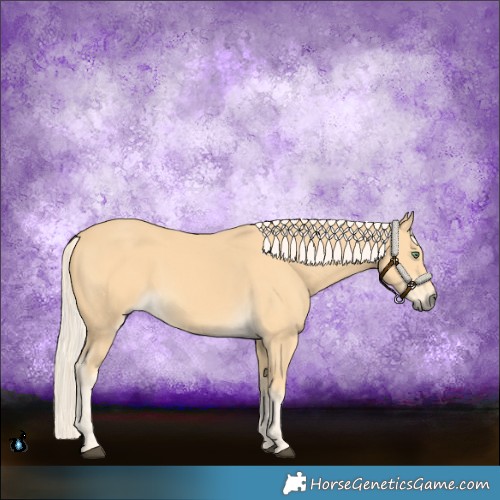
EMS Sand Castles
On Firefox browser, attempted to remove and add tack. No change in being able to color them (the three tiles are there, but the option to pick any of them to change color isn't popping up like on other tack). Then attempted a refresh, and later, a regen on horse image. Still no change to adding color. Removed halter and sheepskin cover. Changed to Chrome browser, added both tack pieces back to the horse, and was able to color them.
TLDR; Firefox seems to be picky, as suspected. Chrome worked fine.
Thank you for your help!
Also, happy birthday!ID#: 226674 | She/They
Current Genes Licensed:
- Onyx
- Chinchilla
- Lace -
Sorry that you ran into issues. Would you mind sharing your firefox version and operating system? I wasn't able to reproduce the issue on my machine.
-
Hopefully I found the right information.
I am currently on Firefox v 150.0 and my OS is Windows_NT 10.0 26200
Also - please disregard if unimportant - I have noticed the issue seems to be more broad in terms of applying a singular tack piece vs applying a template. While I was able to find a temporary fix in using Chrome to apply and change the color on pieces, as well as make a template and use it on multiple horses, I noticed that using the template on Firefox, I ran into the same issues of "blue" tack.
(Ex. Horse 1 is template applied in Chrome, Horse 2 is template applied on Firefox)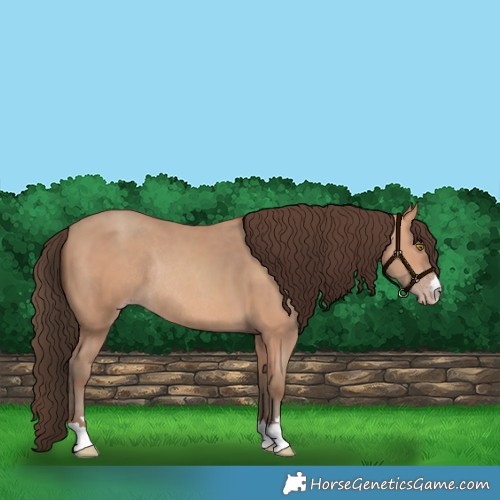
EMS Parallel Movement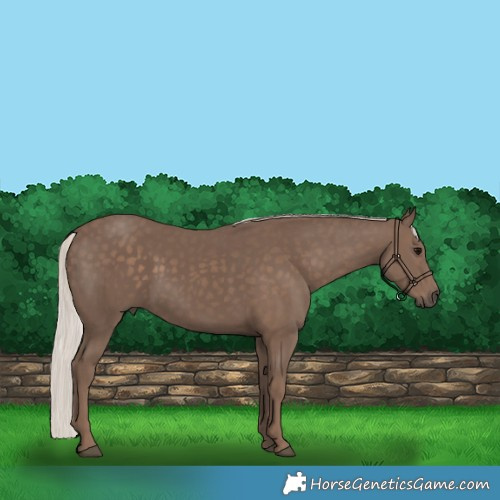
21355811
I do believe I noticed other tack pieces besides the halter + sheepskin impacted in a similar fashion, but I also noticed that some pieces were completely fine. As I was replying to this, I decided to take a horse and go through the tack editor (of what I have access to) and equip the pieces I cannot color. It's possible I might've missed one or a few, but this is everything that just showed up as blue/pink and would not allow me to mess with it.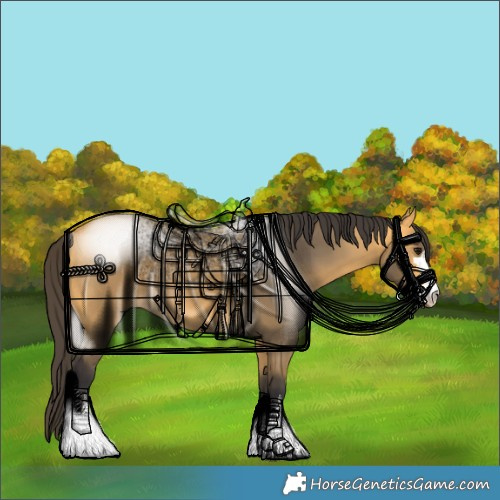
21358202
I appreciate y'all looking into this further. I realized a little while later, after I posted my thanks, that I only briefly solved the issue for myself, but still did not find an answer as to why it happened in the first place. I am happy to answer any more questions I can.ID#: 226674 | She/They
Current Genes Licensed:
- Onyx
- Chinchilla
- Lace -
Can you clarify for me when you are getting blue and pink? Is it only related to templates? I am struggling to follow your steps so we can try to reproduce this.
It does not appear that you used a template for 21358202. Is the correct?
When I refreshed the image on the horses that had "blue and pink" those items turned clear for me.
As for the reason, it's because tack is being added to the DB with no hex color.Post edited by Ammit at 2026-04-27 20:59:58Need to contact me? Read this first.
I sometimes get busy and miss things. If your private message, question, etc. gets missed please ping me so I can follow up with you. I am also always happy to explain or clarify. (HAJ does not have a customer service email, please send me a forum message! )
she/her -
Correct, I did not use a template for 21358202. I also noticed - when I first observed the issue on Sand Castles - that when I refreshed, it turned clear.
My process is start from home page (https://bluegrass.horsegeneticsgame.com/) > My Barn > Click on whatever horse > Tack tab > Start editor. Once it loads, it starts me on the MISC tab with the horse name in the editor highlighted green (not the horse itself, but the little tab you could drag around to eventually layer tack). I then click on the little shop button that says "Add". When I first was looking for the plain halter, I just typed "halter" into the search. I then clicked the "+" button. It equips the halter and it is immediately blue and pink. I have no option to change the color. Of all three HEX color boxes, they have the circle with a line through it.
I made my original template (observed on EMS Parallel Movement and 21355811) to quick-assign when I was playing in Chrome (it is no-longer my primary browser, and hasn't been for a few years now). After I had assigned my template to the horses I wanted to equip, I closed Chrome and moved back to Firefox. I have observed no other issues with regular game-play on this browser, except for the HEX boxes deciding not to work for me. I only thought to try placing the template on 21355811 to see if maybe it being "saved" would just fix it or, at the very least, transfer my desired tack colors, but the halter broke in the template transfer as well.ID#: 226674 | She/They
Current Genes Licensed:
- Onyx
- Chinchilla
- LaceThanked by 1Ammit -
I recorded a video of me testing it.
There are several things of note:
- This is recorded on the Firefox browser, but not in my main FF "profile" (FF allows you to set up separate profiles that allow you to add/remove different extensions, mess with settings, etc).
- Issue persistent despite different "profiles"
- Accepted ALL cookies before starting the recording; my main FF profile only has essentials accepted.
- Named a horse "EMS Tack Test" for easier finding (not the same horse as the poor sod who got tack dumped on him).
- Clicked through a few extra menus compared to what I said my usual route was in the post above.
- Searched for "halter" and "trail" because I know the Plain Halter gives me trouble, and I thought the Trail Bridle was one of the pieces that didn't (I was wrong). Then did not search for the saddle I ended up using, because I knew there was a saddle in the first few pages that I could color.
- Messed around in the HEX menus to showcase that they weren't broken.
- Went through the top menus just to make sure I didn't miss anything (despite having gone through them before). I typically just apply my stuff, then save image.
- Refreshed the image to showcase the see-through tack. Then, returned to editor to showcase it immediately returning blue/pink.
https://youtu.be/bl8bcGH-2Lk?si=VzhVs-W8MqXFplm1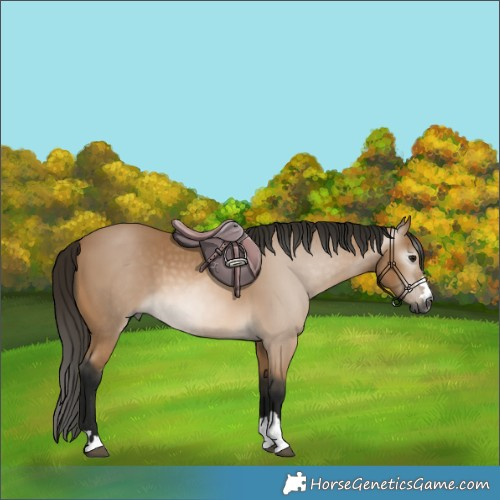
EMS Tack TestID#: 226674 | She/They
Current Genes Licensed:
- Onyx
- Chinchilla
- Lace


Join our discord server!
 News & Alerts
8/18/2026 1:54 PM EST
The game has been experiencing occasional bursts of DDoS traffic, which have caused short outages over the past couple of months.
We’re working to mitigate the issue, but it’s still a work in progress. There may be additional outages, and you might notice some unusual behavior while we test different solutions. For example, you may encounter more Cloudflare verification pages or temporarily find yourself locked out of the forums.
Thanks for your patience while we work through this.
We’re working to mitigate the issue, but it’s still a work in progress. There may be additional outages, and you might notice some unusual behavior while we test different solutions. For example, you may encounter more Cloudflare verification pages or temporarily find yourself locked out of the forums.
Thanks for your patience while we work through this.
8/16/2026 12:10 AM EST
New Derby Day!
The Pool Party Dress-Up Derby is accepting entries until the end of the week.8/15/2026 7:30 AM EST
SWITCH UP! It's the 15th and Random Gene Sale switch has activated. Until the 1st of the month you can now pick up:
Dense Pheomelanin

Kit M

Axiom Green

Rainbow Riot Paintbrush Prism

Appaloosa Spot Regulator 1

Phantom Sun Runes

Phantom Star Runes

Dense Pheomelanin
Kit M
Axiom Green
Rainbow Riot Paintbrush Prism
Appaloosa Spot Regulator 1
Phantom Sun Runes
Phantom Star Runes
8/15/2026 1:44 AM EST
All foals left in the pasture at the end of the season will now be moved to your primary barn at end of the month rollover. This is to prevent issues with pastures becoming overfilled.
8/9/2026 12:10 AM EST
New Derby Day!
The Career Day Dress-Up Derby is accepting entries until the end of the week. Bonus Stall Progress
0%